- 4.8 Rating on the stores
- 250,000 Users
Wine cellar management application and software
Viniou simplified cellar management
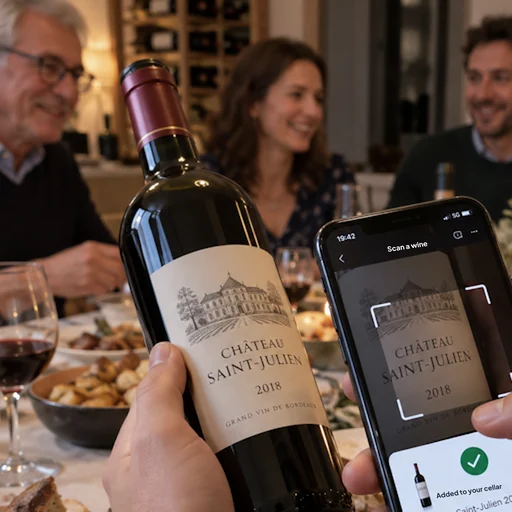
Photograph your labels: finally know what’s in your cellar and when to open each bottle.
Free to manage your wine cellar, Premium to learn more
On iPhone, Android, and computer, the same wine cellar everywhere
Testimonials
They Tried
« This allows me to avoid having wines “forgotten” at the back of the cellar and losing their quality. It’s also very useful for pairing wines with a good meal. »
« The AI easily recognizes the bottles, and the interface is easy to read! »
« Very good, simple app with real utility such as wine peak maturity... »
« Very easy to use and very practical when you have a wine cellar »
How it works
Fill your wine cellar in no time
-
 1
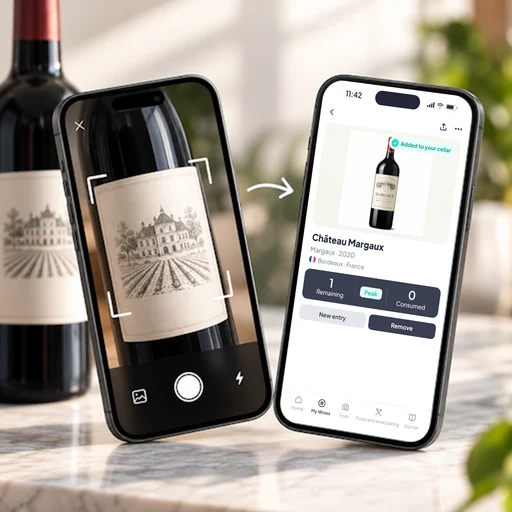
Snap a photo, and it’s in your wine cellar.
Scan the label, Viniou recognizes the bottle instantly.
-
 2
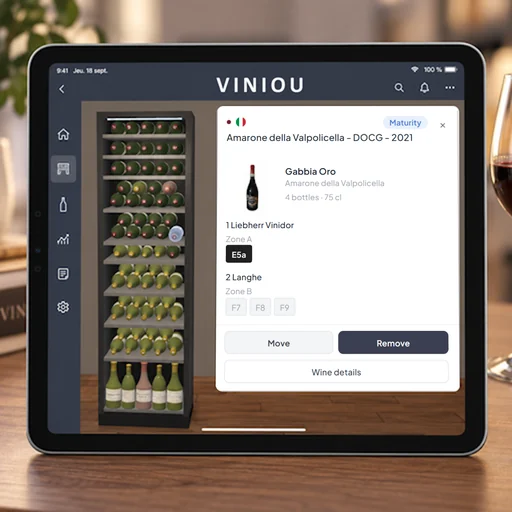
Keep an eye on every bottle
Track incoming and outgoing bottles, and see your wine cellar in 3D: at a glance, you know exactly where every bottle is stored.
-
 3
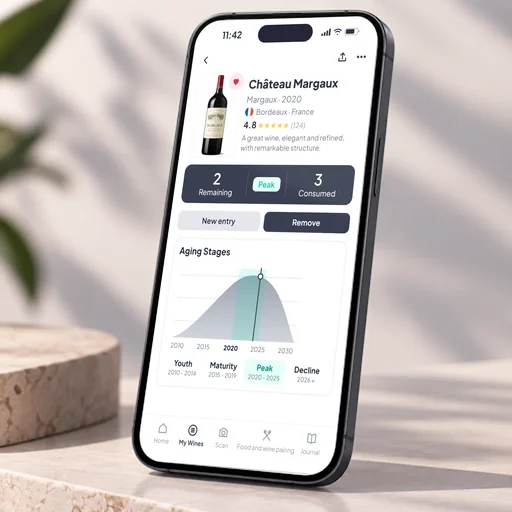
Drink each wine at its peak Premium
Your wines sorted by stage so you can open them at the right time.
Features
Everything Viniou Does for Your Wine Cellar
Fill your wine cellar
Fill your wine cellar in no timeA bottle added in just seconds, effortlessly. Snap a photo, and it’s in your wine cellar.Scan the label, Viniou recognizes the bottle instantly. One invoice, and your wines are in the cellarPhoto or PDF of the invoice: Viniou detects the wines and adds them. Your entire wine cellar imported in one clickImport your bottles from Excel without re-entering anything. Find a bottle in a flashA QR code to stick on, one scan, and it’s identified.Know your cellar
Keep an eye on every bottleEntries, exits, and virtual cellar at a glance. Know what your wine cellar is really worthThe value of each bottle, tracked in real time. Drink each wine at its peakYour wines sorted by stage so you can open them at the right time. A wine expert’s guidance, effortlesslyAI-powered tasting, storage, and aging advice.Enjoy it
The perfect wine for every dishPersonalized food & wine pairings for every meal. A personal sommelier, 24/7Ask your questions, get tailored advice. Never forget a favorite againRecord your tastings and track the evolution of your wines. Your wine cellar, from any AIConnect Claude, Mistral, or ChatGPT to your Viniou cellar.Download the app
Available on the App Store and Google Play
The application
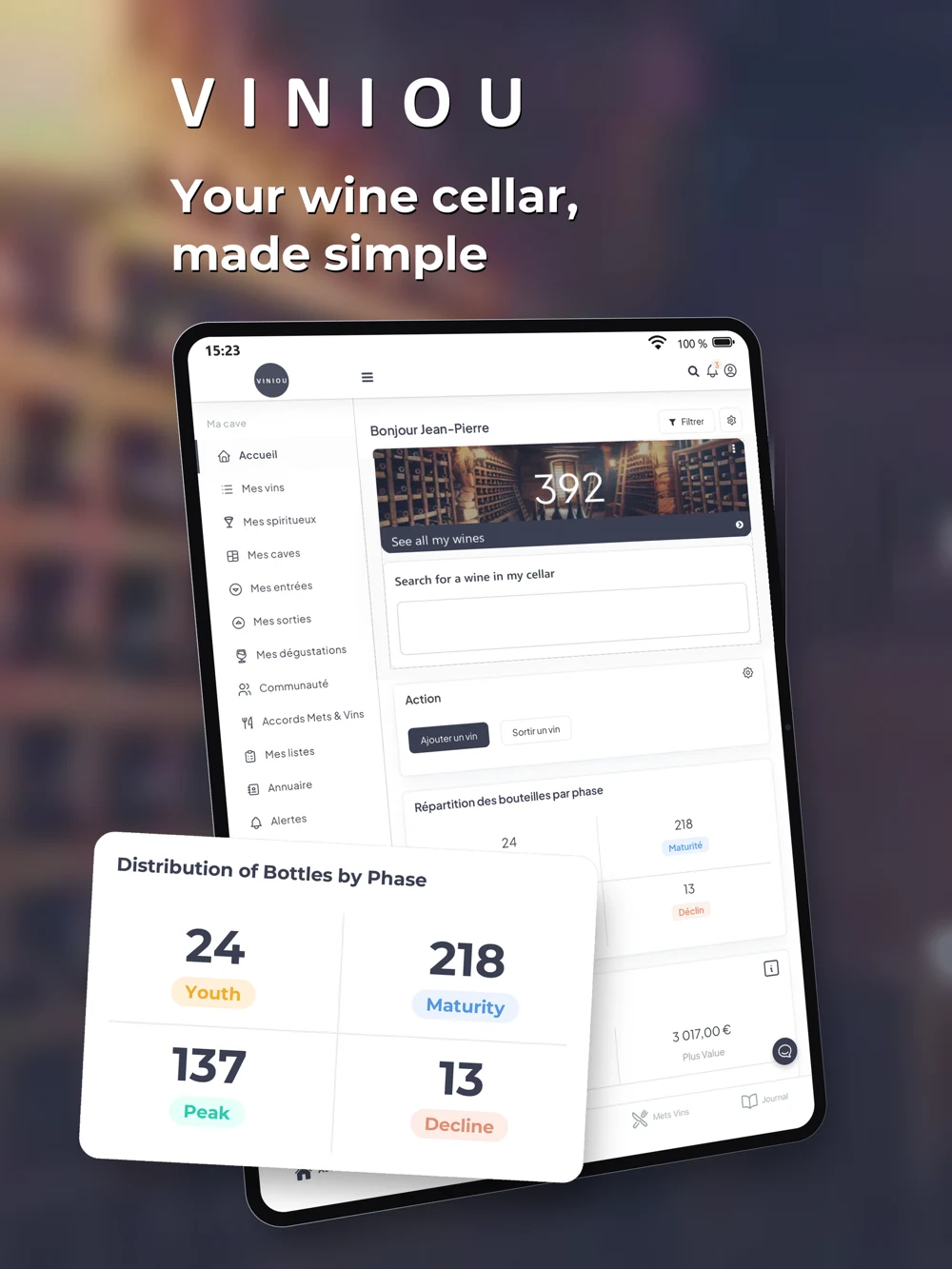
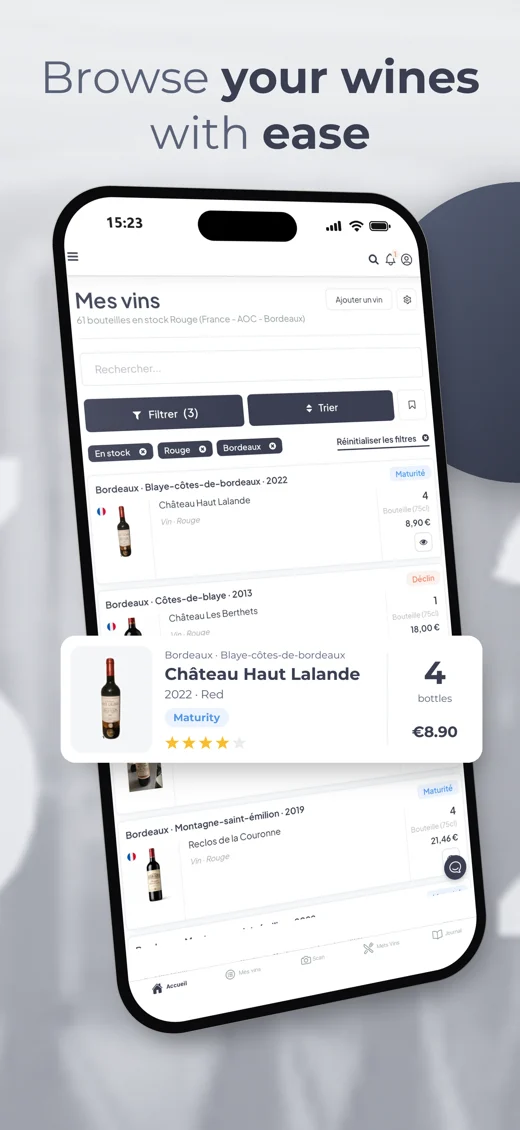
Wine cellar management on phone and computer
Viniou is a smart application for wine cellar management designed for wine enthusiasts and collectors.
This innovative software simplifies the management of your wine collection by cataloging and tracking your bottles. It offers advanced features like label recognition and personalized recommendations to remind you of the best consumption periods.
Accessible wherever you are thanks to our web interfaces for desktop and mobile, as well as our app available on iOS and Android.
The app was custom-designed to meet the needs of users with a wine cellar who wish to enjoy their wines at the optimal time, whether they are aging wines or ready-to-drink wines.
- iPhone
- Android
- Computer
- Tablet
Who is it for?
A cellar with 20 or 2,000 bottles
Enthusiasts
Know what you have, where it’s stored, and what to open tonight—without a spreadsheet.
Collectors
Track aging phases, cellar value, and every bottle, even across multiple cellars.
Professionals
Designed for private individuals, Viniou also helps wine merchants and restaurants manage their inventory.
Viniou for ProfessionalsEncyclopedia
Explore wines by country, region, and appellation
Appellation, grape variety, aging phase, and pairing guides: all the information, even without an account.
 France
 Italy
 Spain
 Portugal
 Germany
What is Viniou, and who is the app for?
Viniou is a wine cellar management app. Its primary purpose is to help you know what you have in your cellar: which wines, how many bottles, and where they are stored. It is designed for anyone who keeps bottles at home, from a few cases in a closet to several thousand bottles in a cellar.
Is Viniou free?
Yes. Creating your account and managing your wine cellar is free for life. The optional Premium subscription automatically enriches your wine information (market prices, aging stages, expert wine reviews, etc.) starting at $5.83 per month.
What devices can I use Viniou on?
On iPhone, Android, and computer, right from your browser. Your wine cellar is the same everywhere: a bottle added on your phone instantly appears on your computer.
How do I add my bottles?
The fastest way: take a photo of the label, and Viniou recognizes the wine. You can also fill out a form or import an entire list at once from an Excel file.
I already use another app or a spreadsheet: can I import everything?
Yes. Export your wines from your previous app or spreadsheet, then import the file into Viniou. Once you’ve signed up, the Viniou team can also help you import your wines from an Excel file.
Is my data secure?
Yes. Your data is hosted in Europe, is never sold or shared, and you can export it to Excel or PDF, or delete your account, at any time.
Quote of the Week
« I drink to make other people more interesting. »
Blog
Our Latest Articles
 11/20/2026
Beaujolais Nouveau and Primeur Wines: Should You Keep Them in the Cellar or Drink Them Right Away?
Beaujolais Nouveau: drink now or cellar? Use our wine app for cellar management, bottle tracking, and smarter choices for primeur wines.
 11/19/2026
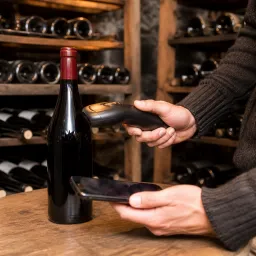
Scan, label, organize: the simple way to add a young wine to your cellar without creating duplicates
With this wine app, scan, label and organize young wines easily. Improve cellar management and bottle tracking without creating duplicates.
 11/18/2026
Beaujolais Nouveau at Home: The Simple Checklist for Hosting a Friendly Tasting and Choosing the Right Bottles to Open
Host a Beaujolais Nouveau tasting at home with Viniou, the wine app for cellar management, bottle tracking, and choosing the right wines to open.
Try
Try the app
Try the app by signing up on the website for free. Once you’ve signed up, Viniou will be happy to help you import your wines from an Excel file.